RBAC
Redesigning a binary permission system into a granular, multidimensional framework to balance data security with daily workflow visibility.
Role
Product Designer
Company
Zendesk
Timeline
8 weeks
Starting point
Zendesk's Workforce Management (WFM) helps support teams forecast demand, schedule agents, and manage resources to improve response times and service quality.
Its Roles and Permissions feature, however, was binary: customers could grant either full access or none. Enterprise customers, whose organization structures rarely fit a binary model, needed something else: a way to give team leads visibility into daily workflows without exposing sensitive data, like agent performance metrics or scheduling details, to people who shouldn't see them.
Journey
I started with discovery: reviewing existing research, interviewing customers and stakeholders, and mapping how similar permission systems worked elsewhere in Zendesk, so whatever we built would stay consistent with patterns customers already knew and could scale as the product added features.
Discovery surfaced a clear split between two segments. Enterprise organizations had more specialized, narrowly scoped roles, and often relied on BPO partners to staff parts of their support operation, which made precise permissions and data access a real risk issue, not a nice-to-have. Smaller, corporate-level organizations were the opposite: roles tended to be broader, admins were rarely "just" admins, and interviews showed they felt overwhelmed by too many setup options for a level of granularity they rarely needed in the first place. Designing one system that didn't punish either segment became the actual problem to solve, more than permissions themselves.
The core design challenge was balancing technical complexity with a genuinely usable interface. First exploration set permissions at the level of individual actions, a separate control for View, Create, Edit, Delete, and Approve on every single feature. It gave admins maximum precision, but it also meant high click depth and a setup flow that broke from Zendesk's internal design patterns almost everywhere I checked it against them.
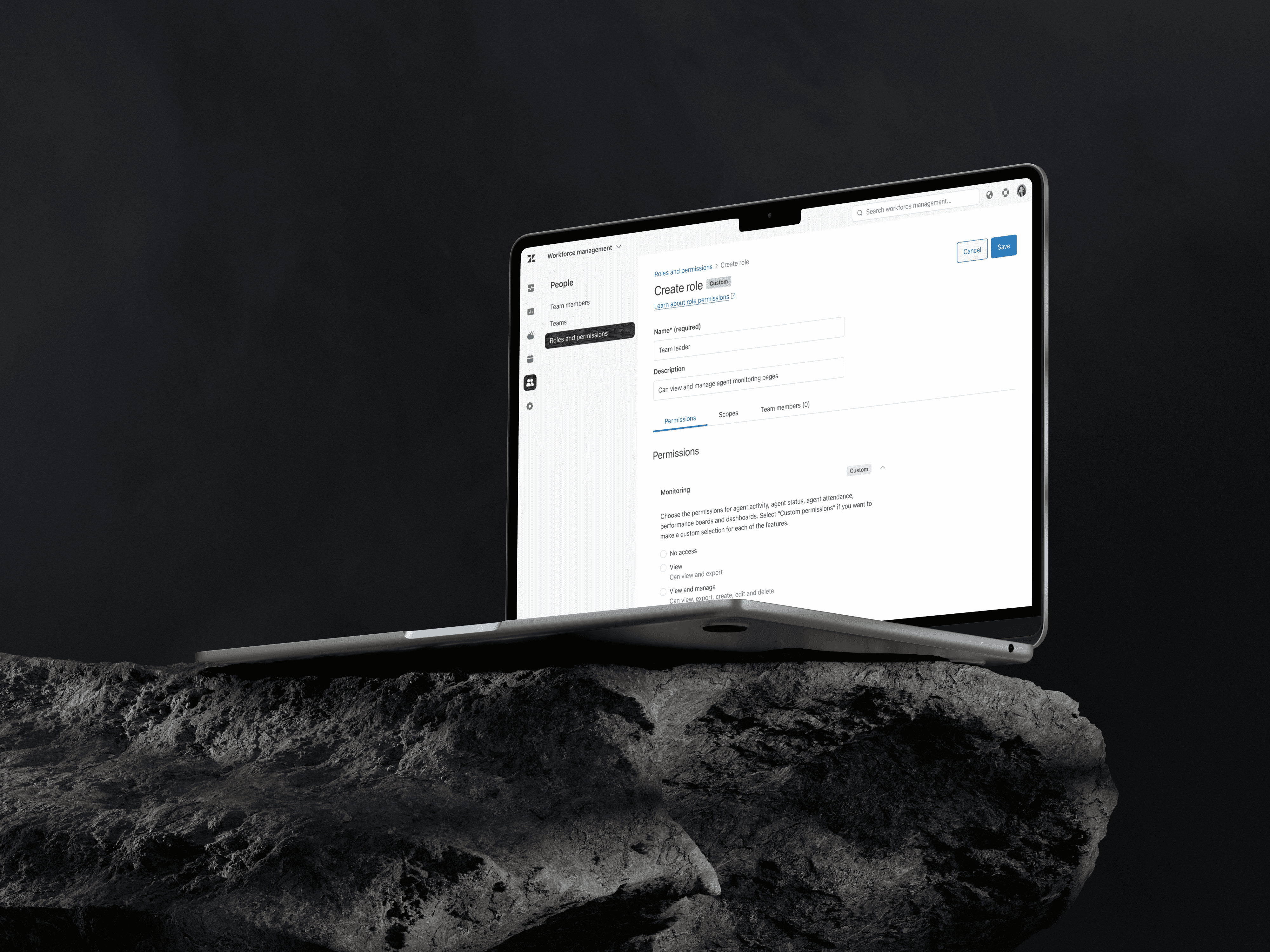
I collapsed that into a three-tier permission model instead: no access, view only, and view and manage, grouped by functional category rather than by individual action, and paired with improved data scope settings that controlled which records each tier could see.
To keep the system usable at both ends of the market, I structured the UI around functional groups that mirrored Zendesk's existing navigation. Smaller organizations could set one uniform permission level across an entire group in a couple of clicks. Enterprise customers could open that same group and set granular, feature-by-feature permissions when their org structure and their BPO relationships demanded it. The same interface served both cases, without asking simple use cases to pay a complexity tax for enterprise flexibility.
Zendesk's existing Roles and Permissions patterns didn't fully cover what this feature needed, so part of the work was finding a compromise between those established patterns and the direction we wanted to take. That compromise had to account for a planned integration with Zendesk's Admin Center, the company's core admin hub. I designed the model so that integration wouldn't require rebuilding the concept later, which meant treating consistency with existing patterns and compatibility with a system that didn't exist yet as real constraints from day one, not just internal preferences.

Outcome
The new Roles and Permissions system shipped as the permission model for the relevant WFM features, and customer feedback confirmed it solved the original tension: teams could manage daily workflows without compromising sensitive data.
The framework also gave the product team a permission model that scales: new WFM features can plug into the existing three-tier structure instead of requiring a one-off permissions decision at every release.


