Hi there!
Welcome to my digital crib. Have a great time exploring, and don’t mind the fly.
Stuff I’m good at:
︎Product and interaction design
︎System thinking
︎Structuring complexity into clarity
Project 1
ADMIN COPILOT
Who: Product Designer
Where: Zendesk
What: AI Admin Copilot
Where: Zendesk
What: AI Admin Copilot
Starting Point
In today's fast-paced enterprise environments, organizations are grappling with the complexity of managing vast, distributed teams with varied needs.
The customer support industry faces mounting pressure to enhance speed and efficiency, as clients cannot afford delayed setups or administrative bottlenecks.
This creates a strong demand for AI-powered tools that can simplify complex processes and eliminate manual work.
Workforce Management has emerged as a critical area requiring significant improvements to reduce the manual effort and time-consuming configuration that Admins currently face.
Journey
My design process has started with understanding the biggest pain points Admins face in the Workforce Management space. Virtual cohort adoption research and customer feedback analysis revealed that the Workforce Management solution's complexity was overwhelming for Admins, hindering user adoption. In addition, many of their daily tasks required lengthy manual workflows.
My goal was to address those issues by introducing and shaping the Admin Copilot experience in Workforce Management through an AI conversational interface that provides recommendations, insights, and actions.
Designing the Admin Copilot was a complex challenge, primarily due to the vast Workforce Management interface—spanning over 20 pages with intricate workflows across modals and widgets. This required a full audit of existing patterns and meticulous UI documentation.
Beyond layout, I had to ensure the solution was scalable for Zendesk’s upcoming design system migration and architecturally sound enough to respect our roles and permissions, specifically regarding sensitive data visibility.
Outcome
An introduction of the Admin Copilot significantly transformed the Workforce Management experience. It reduced configuration efforts and enabled Admins to achieve desired outcomes faster, even with limited product knowledge.
Introducing the integrated Admin Copilot solution has drastically reduced the time Aminds spends on manual tasks, from around 45-60 minutes to approx. 3-5 minutes per task.
The integration of AI-powered insights and optimization suggestions added value for users.
While still new to Zendesk's offerings, Admin Copilot is continually evolving based on user feedback and the exploration of new use cases, demonstrating significant improvements in efficiency and user experience.
In today's fast-paced enterprise environments, organizations are grappling with the complexity of managing vast, distributed teams with varied needs.
The customer support industry faces mounting pressure to enhance speed and efficiency, as clients cannot afford delayed setups or administrative bottlenecks.
This creates a strong demand for AI-powered tools that can simplify complex processes and eliminate manual work.
Workforce Management has emerged as a critical area requiring significant improvements to reduce the manual effort and time-consuming configuration that Admins currently face.
Journey
My design process has started with understanding the biggest pain points Admins face in the Workforce Management space. Virtual cohort adoption research and customer feedback analysis revealed that the Workforce Management solution's complexity was overwhelming for Admins, hindering user adoption. In addition, many of their daily tasks required lengthy manual workflows.
My goal was to address those issues by introducing and shaping the Admin Copilot experience in Workforce Management through an AI conversational interface that provides recommendations, insights, and actions.
Designing the Admin Copilot was a complex challenge, primarily due to the vast Workforce Management interface—spanning over 20 pages with intricate workflows across modals and widgets. This required a full audit of existing patterns and meticulous UI documentation.
Beyond layout, I had to ensure the solution was scalable for Zendesk’s upcoming design system migration and architecturally sound enough to respect our roles and permissions, specifically regarding sensitive data visibility.
Outcome
An introduction of the Admin Copilot significantly transformed the Workforce Management experience. It reduced configuration efforts and enabled Admins to achieve desired outcomes faster, even with limited product knowledge.
Introducing the integrated Admin Copilot solution has drastically reduced the time Aminds spends on manual tasks, from around 45-60 minutes to approx. 3-5 minutes per task.
The integration of AI-powered insights and optimization suggestions added value for users.
While still new to Zendesk's offerings, Admin Copilot is continually evolving based on user feedback and the exploration of new use cases, demonstrating significant improvements in efficiency and user experience.
Project 2
ROLES AND PERMISSIONS
Who: Product Designer
Where: Zendesk
What: Role-Based Access Control
Where: Zendesk
What: Role-Based Access Control
Starting Point
Zendesk's Workforce Management is a product focused on optimizing support teams' efficiency by forecasting demand, scheduling agents, and managing resources to improve response times and service quality.
The existing Roles and Permissions feature within the Workforce Management system was too binary, offering only full or no access level. This lack of granularity frustrated enterprise customers who needed permissions to mirror complex organizational structures. Specifically, they required a way to grant visibility for daily workflows without compromising sensitive data security.
Journey
The journey began with an extensive discovery phase. Building a thorough understanding of user needs involved reviewing existing research data, conducting customer and stakeholder interviews, and identifying similar use cases across Zendesk.
The end goal was to determine how I can align our customers' needs with Zendesk’s product strategy and design patterns to ensure the proposed solution was scalable and coherent.
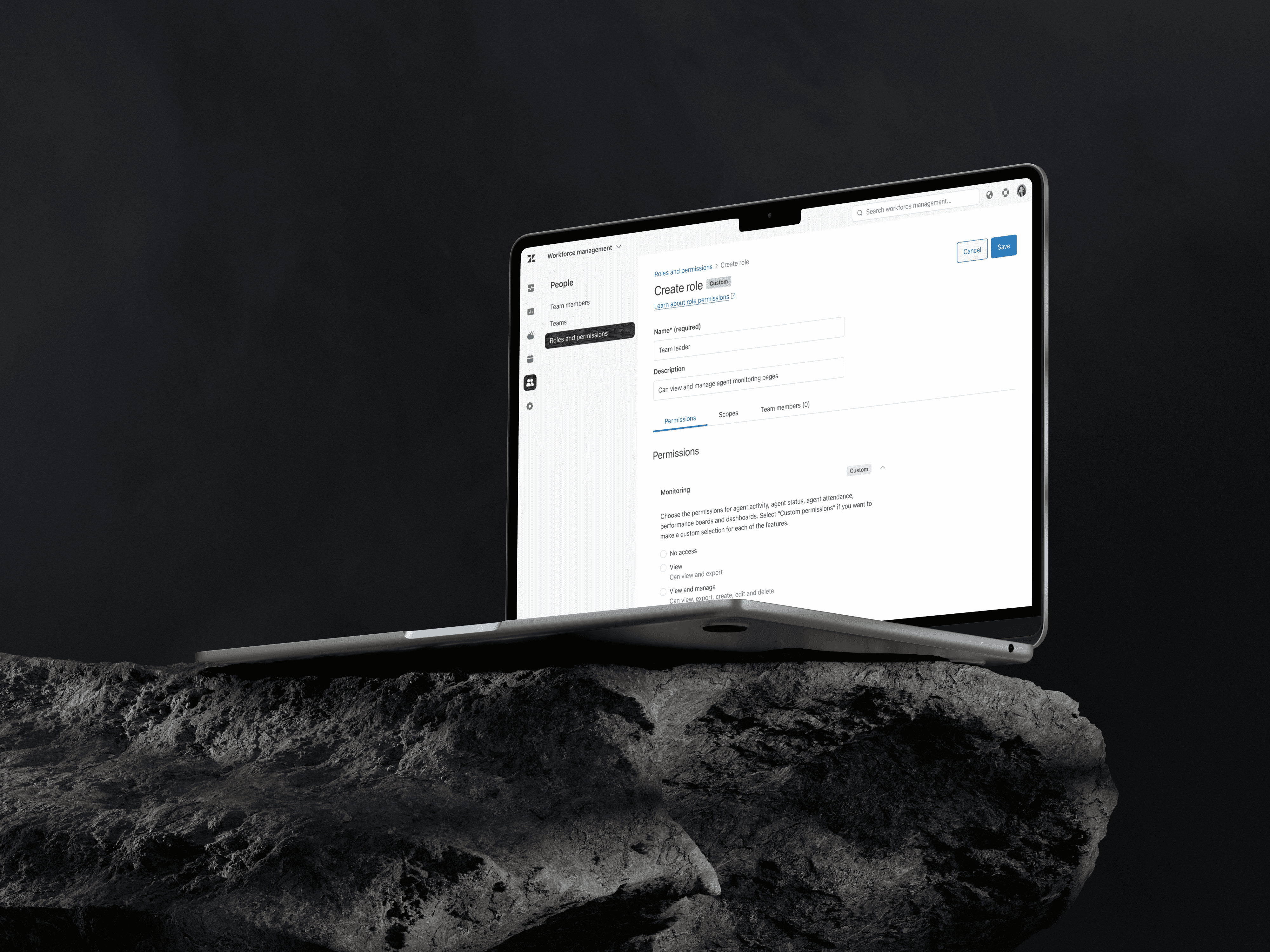
A primary design challenge was to balance technical complexity with a user-friendly interface. To address this, I designed a multidimensional permissions system, based on three levels of granularity: no-access, view-only, and view-and-manage, with improved data-scope settings.
I have based the UI architecture on functional groups that aligned with user navigation patterns. That allowed users to effortlessly manage permissions by either setting a “uniform” level for an entire group (the more common use case for smaller organizations) or specifying individual permissions for each feature, enabling enterprise-level customers to customize the granularity to their needs.
Outcome
The newly designed Roles and Permissions system proved scalable and adaptable. Over time, customer feedback highlighted a significant improvement in managing complex workflows without exposing sensitive data.
Design changes led to a measurable increase in user satisfaction and provided the Product team with a framework that supports Zendesk's Workforce Management strategic growth and accommodates an increasing number of features rolled out annually.
The solution demonstrates my commitment to delivering a secure, user-friendly, and efficient experience while working with highly complex product challenges.
Zendesk's Workforce Management is a product focused on optimizing support teams' efficiency by forecasting demand, scheduling agents, and managing resources to improve response times and service quality.
The existing Roles and Permissions feature within the Workforce Management system was too binary, offering only full or no access level. This lack of granularity frustrated enterprise customers who needed permissions to mirror complex organizational structures. Specifically, they required a way to grant visibility for daily workflows without compromising sensitive data security.
Journey
The journey began with an extensive discovery phase. Building a thorough understanding of user needs involved reviewing existing research data, conducting customer and stakeholder interviews, and identifying similar use cases across Zendesk.
The end goal was to determine how I can align our customers' needs with Zendesk’s product strategy and design patterns to ensure the proposed solution was scalable and coherent.
A primary design challenge was to balance technical complexity with a user-friendly interface. To address this, I designed a multidimensional permissions system, based on three levels of granularity: no-access, view-only, and view-and-manage, with improved data-scope settings.
I have based the UI architecture on functional groups that aligned with user navigation patterns. That allowed users to effortlessly manage permissions by either setting a “uniform” level for an entire group (the more common use case for smaller organizations) or specifying individual permissions for each feature, enabling enterprise-level customers to customize the granularity to their needs.
Outcome
The newly designed Roles and Permissions system proved scalable and adaptable. Over time, customer feedback highlighted a significant improvement in managing complex workflows without exposing sensitive data.
Design changes led to a measurable increase in user satisfaction and provided the Product team with a framework that supports Zendesk's Workforce Management strategic growth and accommodates an increasing number of features rolled out annually.
The solution demonstrates my commitment to delivering a secure, user-friendly, and efficient experience while working with highly complex product challenges.
Project 3
USER ACQUISITION
Who: Product Designer
Where: Zendesk
What: Product-Lead Growth
Where: Zendesk
What: Product-Lead Growth
Starting Point
Workforce Management (WFM) currently serves around 15% of eligible Zendesk customers, leaving a substantial opportunity for expansion.
With the objective to increase WFM penetration among Zendesk Suite customers with subscriptions of 50 or more seats to 23%, we set out to introduce a lightweight time-tracking and performance-insights version of one of our core features.
This initiative aimed to deliver immediate value and encourage a natural upsell path to the full version of the Zendesk Workforce Management add-on.
Journey
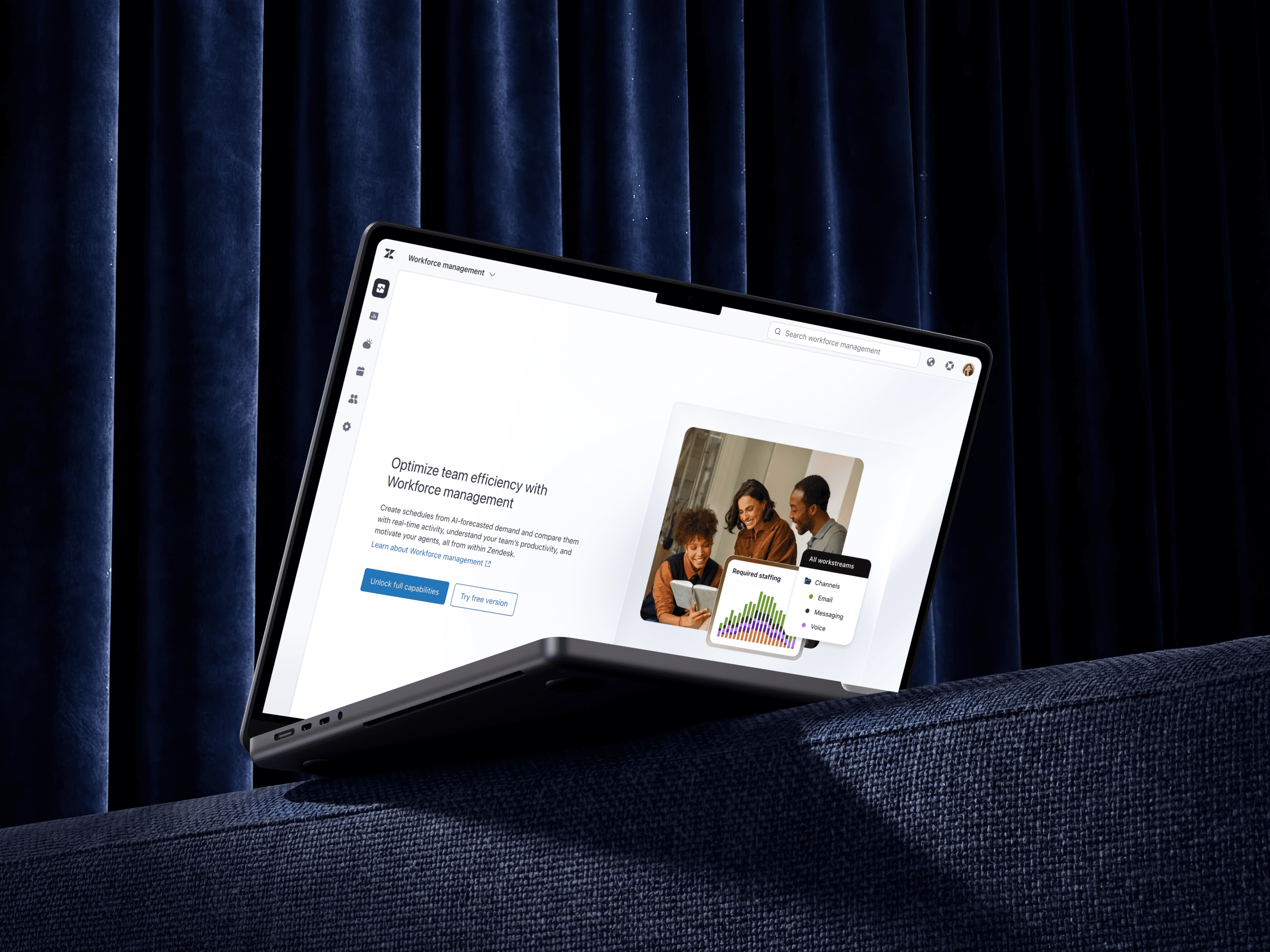
The product's strategic vision was to attract a broader audience by embedding a dedicated agent activity-tracking dashboard within Zendesk Analytics.
After mapping user flows and initial designs based on growth goals and legal requirements, discussions with the engineering team have revealed a critical technical hurdle: integrating Looker constraint applicability into Zendesk Analytics. The platform could only display 800 data blocks, whereas our real-time monitoring needs were far greater, with a single agent generating roughly 100 activity blocks per shift. This constraint made it impossible to support enterprise-scale tracking for organizations with up to 3,000 global agents.
Through strategic conversations, I successfully advocated for the development of a simplified version of the Agent Activity page within our product. This approach offered a faster and more cost-effective development process while exposing new users to the same interface they would encounter upon upgrading to the full version. Certain functionalities were marked as "available in full version," creating a tangible upsell incentive.
The solution featured a dedicated landing page for new users, included an onboarding flow to address tracking agreements, and effectively "teased" WFM's comprehensive features through intuitive navigation. Additionally, my work included aligning with PMM on marketing strategy and design, as well as with product and engineering on product analytics to track user conversion and identify potential areas of improvement.
Outcome
Personally, I view this initiative as a significant effort to bridge design with strategic thinking and to build partnerships across broad internal and external teams.
As a result, the project laid a strong foundation for increasing WFM penetration, providing a clear pathway for users from initial engagement to full-scale product adoption, and ultimately contributing to our long-term growth objectives.
Workforce Management (WFM) currently serves around 15% of eligible Zendesk customers, leaving a substantial opportunity for expansion.
With the objective to increase WFM penetration among Zendesk Suite customers with subscriptions of 50 or more seats to 23%, we set out to introduce a lightweight time-tracking and performance-insights version of one of our core features.
This initiative aimed to deliver immediate value and encourage a natural upsell path to the full version of the Zendesk Workforce Management add-on.
Journey
The product's strategic vision was to attract a broader audience by embedding a dedicated agent activity-tracking dashboard within Zendesk Analytics.
After mapping user flows and initial designs based on growth goals and legal requirements, discussions with the engineering team have revealed a critical technical hurdle: integrating Looker constraint applicability into Zendesk Analytics. The platform could only display 800 data blocks, whereas our real-time monitoring needs were far greater, with a single agent generating roughly 100 activity blocks per shift. This constraint made it impossible to support enterprise-scale tracking for organizations with up to 3,000 global agents.
Through strategic conversations, I successfully advocated for the development of a simplified version of the Agent Activity page within our product. This approach offered a faster and more cost-effective development process while exposing new users to the same interface they would encounter upon upgrading to the full version. Certain functionalities were marked as "available in full version," creating a tangible upsell incentive.
The solution featured a dedicated landing page for new users, included an onboarding flow to address tracking agreements, and effectively "teased" WFM's comprehensive features through intuitive navigation. Additionally, my work included aligning with PMM on marketing strategy and design, as well as with product and engineering on product analytics to track user conversion and identify potential areas of improvement.
Outcome
Personally, I view this initiative as a significant effort to bridge design with strategic thinking and to build partnerships across broad internal and external teams.
As a result, the project laid a strong foundation for increasing WFM penetration, providing a clear pathway for users from initial engagement to full-scale product adoption, and ultimately contributing to our long-term growth objectives.
Project 4
USER MANAGEMENT
Who: Product Designer
Where: Zendesk
What: Bulk Management Feature
Where: Zendesk
What: Bulk Management Feature
Starting Point
Customer service center Admins and Managers regularly faced the challenge of dynamically assigning and reassigning team members. This often involved changing roles, shifts, or assignments to different workstreams (channels) and dealing with settings specific to certain teams.
Our customers had to configure each setting and assignment individually, either via a dedicated object page or user-by-user. This disjointed process required excessive navigation across the platform, resulting in inefficiency and a poor user experience.
The goal of this project was to streamline these tasks, enabling users to manage objects and settings quickly and efficiently.
Journey
To address these challenges, I have decided to design a more centralized experience for managing user settings and configurations.
The first step in my discovery was to understand customer feedback and align with the Product Manager on which objects and settings could benefit from this workflow improvement.
After discussions with both Engineering and Product leadership we agreed that the ideal solution was to add a bulk management feature, as I have proposed, to the Team Members page, listing all users within a customer's account. This would allow admins and managers to efficiently manage team member assignments and settings in one place.
One significant challenge, however, arose from accessibility limitations on table row selection. Implementing a "select all" action or row selection across multiple pages was technically unfeasible, which initially threatened to limit the effectiveness of bulk actions.
While I considered endless scroll as a workaround, engineering tests revealed it caused significant performance lag for large enterprise accounts. To resolve this, I increased the number of visible items per page from 25 to 100, enabled persistent selection across table pages, and added advanced filtering options.
These combined adjustments empowered users to build highly customized lists, successfully delivering on the product’s original vision within technical constraints.
Outcome
As a result of the enhancements, customers can significantly streamline their Admins’ workflows by performing changes to large numbers of team members with just a few clicks, saving hours.
The project successfully delivered a scalable concept that accounted for potential feature expansion, ensuring the solution can accommodate more objects over time. It also demonstrated my ability to balance between technical limitations and delivering a valuable, user-centered solution.
Customer service center Admins and Managers regularly faced the challenge of dynamically assigning and reassigning team members. This often involved changing roles, shifts, or assignments to different workstreams (channels) and dealing with settings specific to certain teams.
Our customers had to configure each setting and assignment individually, either via a dedicated object page or user-by-user. This disjointed process required excessive navigation across the platform, resulting in inefficiency and a poor user experience.
The goal of this project was to streamline these tasks, enabling users to manage objects and settings quickly and efficiently.
Journey
To address these challenges, I have decided to design a more centralized experience for managing user settings and configurations.
The first step in my discovery was to understand customer feedback and align with the Product Manager on which objects and settings could benefit from this workflow improvement.
After discussions with both Engineering and Product leadership we agreed that the ideal solution was to add a bulk management feature, as I have proposed, to the Team Members page, listing all users within a customer's account. This would allow admins and managers to efficiently manage team member assignments and settings in one place.
One significant challenge, however, arose from accessibility limitations on table row selection. Implementing a "select all" action or row selection across multiple pages was technically unfeasible, which initially threatened to limit the effectiveness of bulk actions.
While I considered endless scroll as a workaround, engineering tests revealed it caused significant performance lag for large enterprise accounts. To resolve this, I increased the number of visible items per page from 25 to 100, enabled persistent selection across table pages, and added advanced filtering options.
These combined adjustments empowered users to build highly customized lists, successfully delivering on the product’s original vision within technical constraints.
Outcome
As a result of the enhancements, customers can significantly streamline their Admins’ workflows by performing changes to large numbers of team members with just a few clicks, saving hours.
The project successfully delivered a scalable concept that accounted for potential feature expansion, ensuring the solution can accommodate more objects over time. It also demonstrated my ability to balance between technical limitations and delivering a valuable, user-centered solution.
Project 5
WORKDAY INTEGRATION
Who: Product Designer
Where: Zendesk
What: HRIS Integration
Where: Zendesk
What: HRIS Integration
Starting Point
Efficient workforce scheduling and time-tracking across different systems has been a persistent challenge for Zendesk Workforce Management users.
The lack of integrations with third-party HRIS solutions, such as Workday, forced users to perform redundant manual time-off management tasks by entering the same data in both the HRIS and Zendesk platforms.
This drawback puts Zendesk Workforce Management behind industry competitors. The need was clear: a seamless integration to streamline processes, reduce manual work, and improve accuracy in time-off and payroll reporting.
Journey
The design work covered two layers: integration setup and management (focused on the Admin persona) and end-user experience in Workforce Management (focused on the CS Manager/Team lead persona).
It was a significant project and the first-ever integration for our product, so it was clear that discovery, definition, and ideation would be the most critical parts of the design process.
I decided to place the Integration setup in Admin Center -(a centralized hub for System Admins) to ensure a streamlined experience, since this is a space where this persona usually operates and where the majority of other integration settings live.
For the Workforce Management part of the experience, I found brainstorming and alignment sessions with our Product Managers essential. This way, I could properly map the necessary user actions, understand the dependencies, and assess the risks.
An example of a potential issue I identified was related to reporting accuracy. Resolving it required a creative solution to avoid duplicate entries between systems. Another interesting challenge was ensuring accurate agent scheduling representation, especially for partial time-offs.
Outcome
A successful integration of HRIS functionalities vastly improved operational efficiency for Zendesk users. Time-off integration allowed Managers and Admins to simplify workflows by reducing the need for manual update processes, saving valuable time and effort.
Despite constraints such as one-way data sync, we brought Zendesk Workforce Management closer to industry standards, narrowing the competitive gap.
This project allowed me to deep-dive into strategic and systems thinking while laying the groundwork for future integrations.
Efficient workforce scheduling and time-tracking across different systems has been a persistent challenge for Zendesk Workforce Management users.
The lack of integrations with third-party HRIS solutions, such as Workday, forced users to perform redundant manual time-off management tasks by entering the same data in both the HRIS and Zendesk platforms.
This drawback puts Zendesk Workforce Management behind industry competitors. The need was clear: a seamless integration to streamline processes, reduce manual work, and improve accuracy in time-off and payroll reporting.
Journey
The design work covered two layers: integration setup and management (focused on the Admin persona) and end-user experience in Workforce Management (focused on the CS Manager/Team lead persona).
It was a significant project and the first-ever integration for our product, so it was clear that discovery, definition, and ideation would be the most critical parts of the design process.
I decided to place the Integration setup in Admin Center -(a centralized hub for System Admins) to ensure a streamlined experience, since this is a space where this persona usually operates and where the majority of other integration settings live.
For the Workforce Management part of the experience, I found brainstorming and alignment sessions with our Product Managers essential. This way, I could properly map the necessary user actions, understand the dependencies, and assess the risks.
An example of a potential issue I identified was related to reporting accuracy. Resolving it required a creative solution to avoid duplicate entries between systems. Another interesting challenge was ensuring accurate agent scheduling representation, especially for partial time-offs.
Outcome
A successful integration of HRIS functionalities vastly improved operational efficiency for Zendesk users. Time-off integration allowed Managers and Admins to simplify workflows by reducing the need for manual update processes, saving valuable time and effort.
Despite constraints such as one-way data sync, we brought Zendesk Workforce Management closer to industry standards, narrowing the competitive gap.
This project allowed me to deep-dive into strategic and systems thinking while laying the groundwork for future integrations.
Holla at me/Drop me a line/Let’s talk dwojczuk@gmail.com